
Back to: TRUMPF PRAXIS Bend and Cut
1
Starting with a tooled part you can left click on a segment of tooling or a tooling adapter and click on the change tool option where the available tool inventory will be shown.
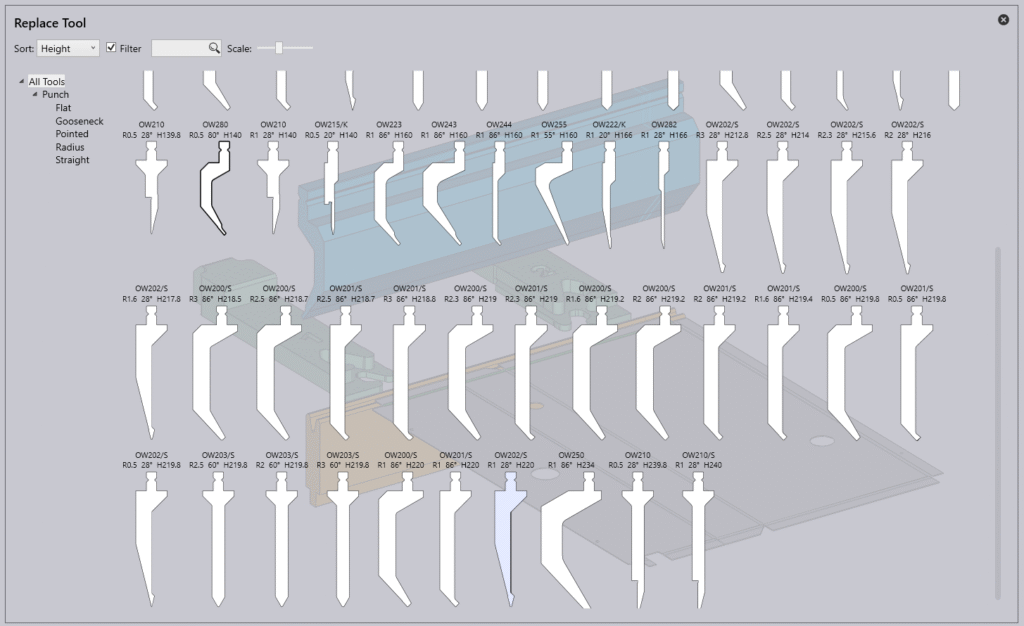
Clicking on a specific tool type you can apply a filter to show the selected style of tool where you can further sort and filter the display by using the Sort Drop down or entering a search value in the filter box.
As you hover your mouse over an alternate tool you will see the bend solution will change automatically along with performing real-time validation which the results are shown in the bend status bar.
Once you have chosen the alternate tool click on it and it will be applied to the bend solution.