
Back to: TRUMPF PRAXIS Bend and Cut
Production Jobs can be imported and configured by either clicking Open and selecting Job or by dragging and dropping an Excel based file into the software.
At the first use the software checks if the file layout is configured and if it is not recognized then the field mapping will be displayed that will allow you to match the fields in your file to fields that the software understands.
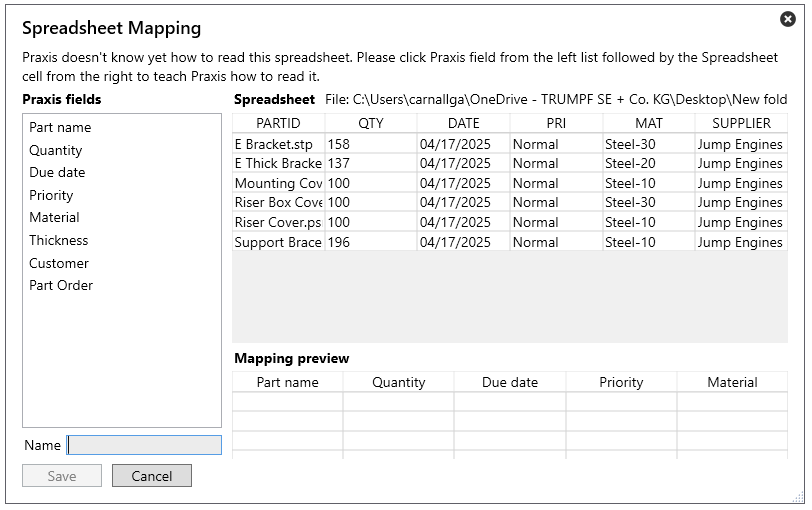
To map a field then firstly click to select the software field name and then the corresponding column from the imported file and you will see the information populate in the mapping display.
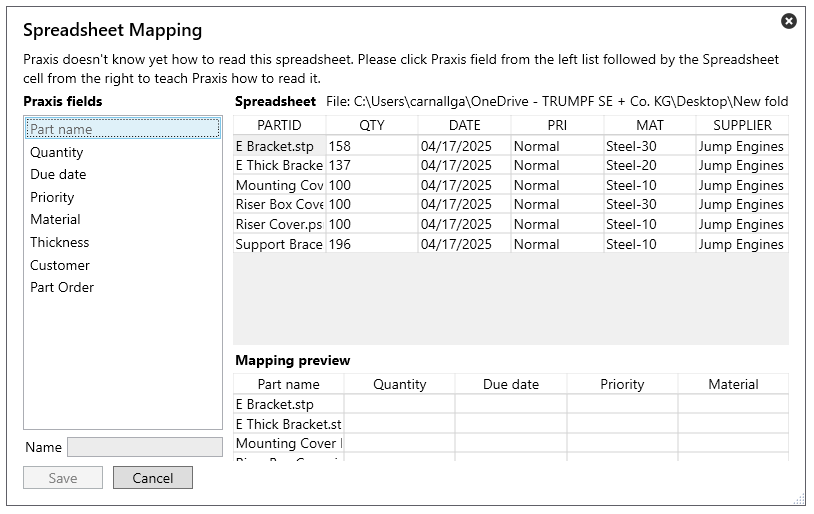
Once the fields are mapped, enter in a name for the mapping and click save at which point the imported job will be displayed and you can make any final edits or click ok to complete the import and the job will be available.