
Quick Search
-
Bend Configuration
-
Bend Workflow
-
-
- Block Die
- Double-V Dies
- EV-F Hem Dies
- Hem Block Dies
- Rollbend Dies
- Spring-Loaded Hemming Dies (Feather-Hemming Dies)
- V Die
- Z-Bend Dies
- Show all articles (3) Collapse Articles
-
- Gooseneck Punch
- Hem Punches
- Narrow Relief Punch
- Pointed Punch
- Radius Punch
- Sash Punch
- Standard Punch
- Straight Punch
- Z-Bend Punch
- Show all articles (4) Collapse Articles
- Adapt Geometry
- Assemblies
- Batch Processing
- Bend Deductions
- Changing the Bending Sequence
- Control Visibility
- Forms and Components
- Generating Bend Outputs
- Recomputing the Bend Solution
- Reviewing the Bend Solution
- Switching to a Different Machine
- The Bend Status Navigator
- Show all articles (7) Collapse Articles
< All Topics
Adding a Tool Station
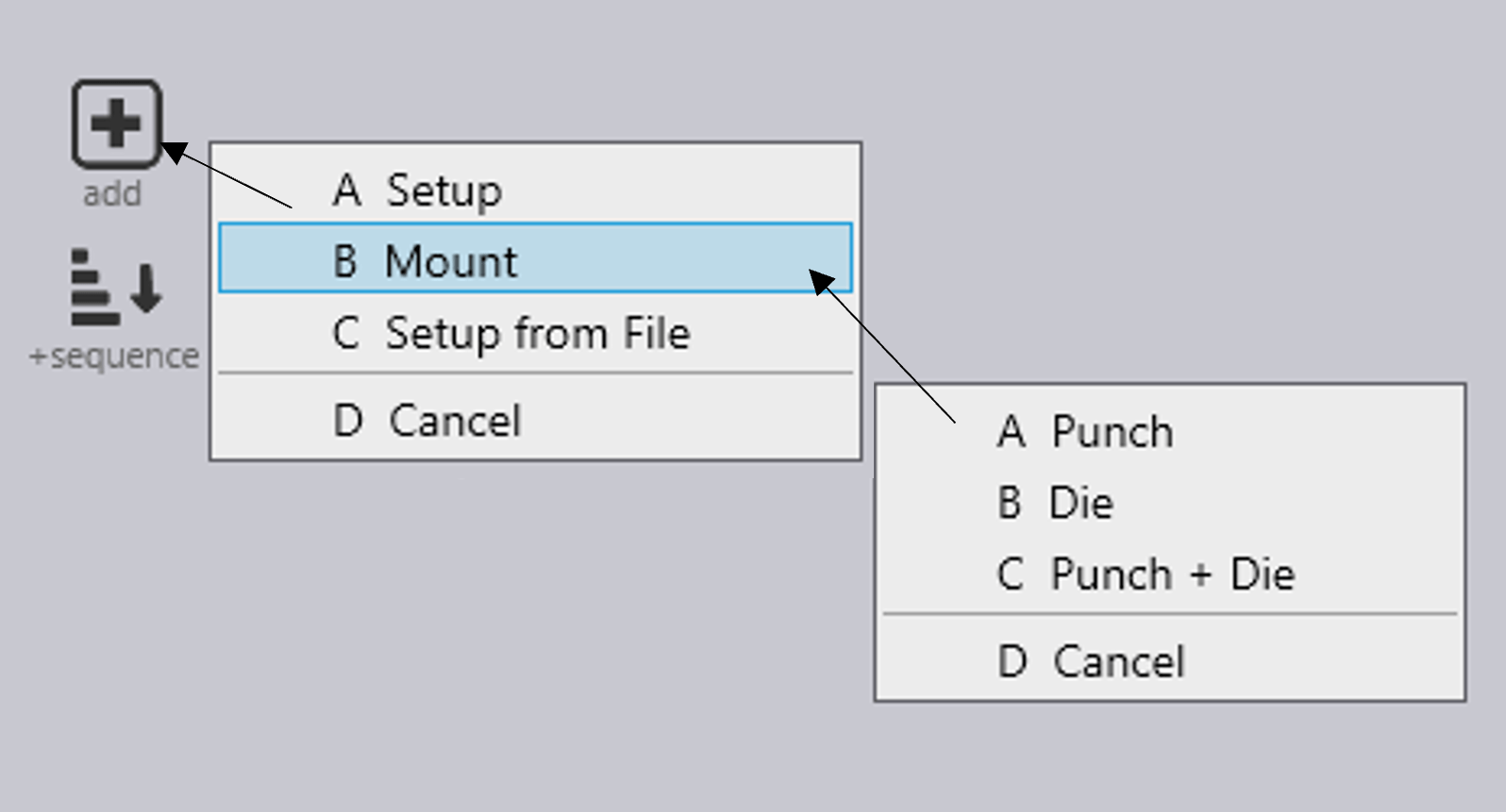
To add a new Tool Station to a bend operation, follow these next steps.
- Firstly, navigate to the bend view page, then select the Add icon which is found on the left side column of options.
- Select Mount from the shown list or use the shortcut key B.
- Again, from the options available choose the desired tool to add.
- Punch – One upper tool will be set up.
- Die – One lower tool will be set up.
- Punch + Die – One upper and lower tool will be set up.
- Cancel – This will cancel the addition of a new tooling station.
Table of Contents
