
Back to: TRUMPF PRAXIS Bend and Cut
1
Starting with a tooled part you can click on a segment of tooling and under the advanced options you can select the add gap option that will allow you to split tooling segments to create a gap or a window in the tooling, which is helpful to prevent collisions.
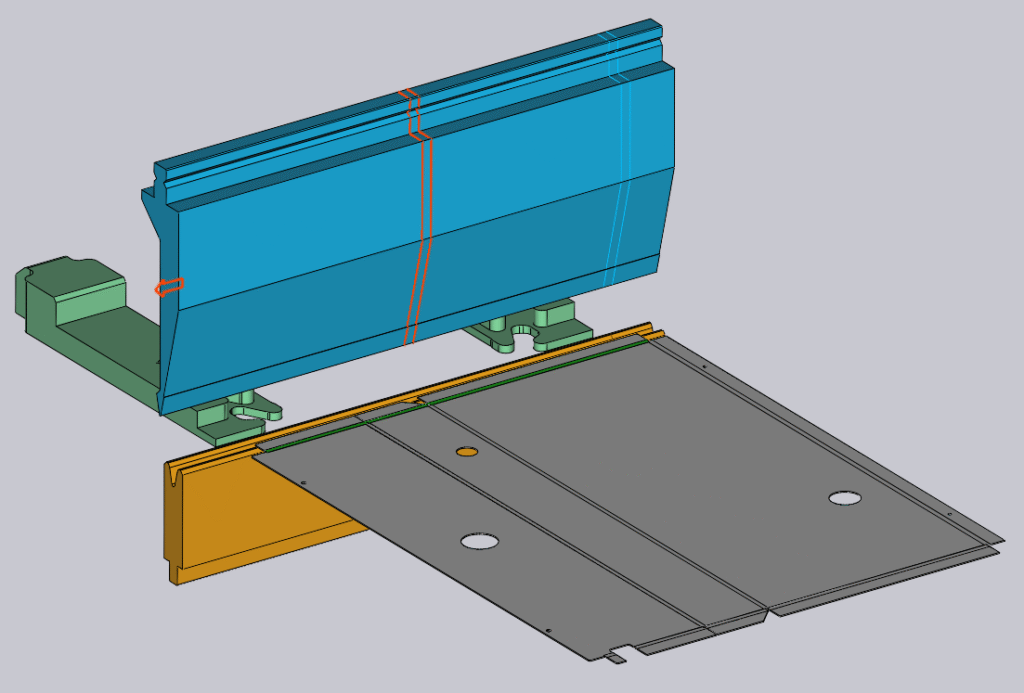
Clicking on the add gap button you will see the following options
Gap Type
- Space will add designated gap between the segments of the tool.
- Left Ear will place a left ear tool at the position set.
- Right Ear will place a right ear tool at the position set.
- Both Ears will place left and right ear tools at the position set.
Left will set the left position to place the gap where you will also see the Right position change.
Gap is the physical gap you require.
Right will set the right position to place the gap where you will also see the left position change.
Once you have selected your options click the ok button to place the gap.