Back to: TRUMPF PRAXIS Bend and Cut
1
Once any edits are made then you can check the part back in by clicking file save where you will see a dialog box appear with some options for checking the part back in.
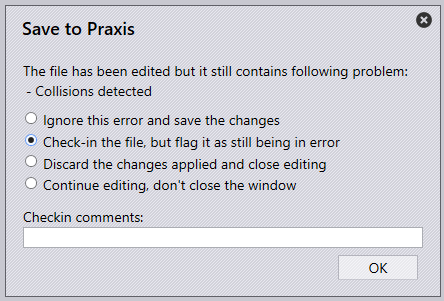
Check-in the file, which will save and then close the part and return you to praxis.
Discard the changes and close the editor, which will close the part and return you to praxis in the same state as you were in initially.
Continue editing.
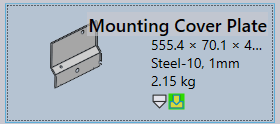
Once the part is checked back in then you will see a green square indicating that the part has been manually adjusted, and it is approved.