Quick Search
Move & Copy Tooling
This tool is used to move or copy tooling to a different location in the part. 
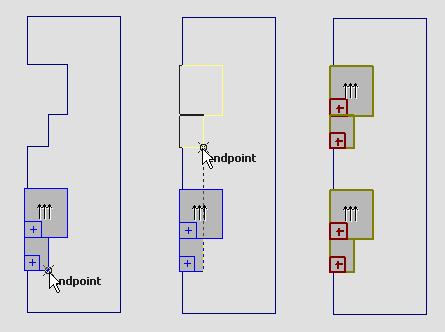
Once the tool is selected, hold the Ctrl key to select an individual tool, or hold the Ctrl key and the Shift key to select multiple tools. Click again to indicate the endpoint of the move. If you hold down the Ctrl key while ending the move operation, a copy is made; otherwise, the original tooling is moved.
You can also move selected tooling by typing in DX, DY and Angle values which indicate the move vector. The illustration below shows some tooling being copied from one notch to another similar notch.