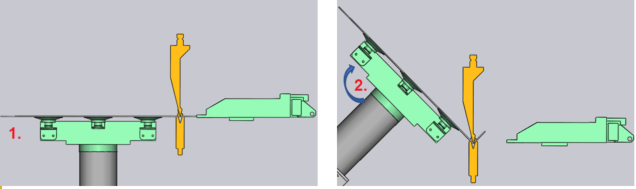
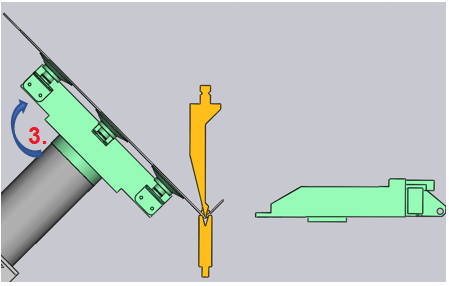
During the bending process, the suction cups of the gripper normally remain with a vacuum on the part, the BendMaster performs a corresponding movement. If necessary, further variants of the gripper’s behaviour during bending can be selected.
To go to Bending, select Bending from the Phase selector. The Robot Path panel then looks like the image alongside.
Support+Vacuum – This is the default strategy, suitable for most bends. With this strategy, the gripper holds the part with suction on and supports it as the bending takes place.
No Vacuum – The vacuum is turned off as the bending begins. The gripper still moves with the part, supporting it as the bending progresses.
No Support – The bending happens without any support from the gripper. The vacuum is turned off and the part is bent with the gripper remaining in the original (flat) position. After the bend is complete, the gripper moves up and picks up the part again. (This is the strategy automatically selected by the software for some bends where the part trajectory is not so simple. For example, when Z-bend dies and punches are used, the bending strategy is automatically set to No Support.)
There is no visual difference in the simulation when the No Vacuum strategy is used (only the generated NC code is different). But when the No Support strategy is used, you can see the gripper releases the part and waits for the bend to be complete before picking it up again.
The Simulate slider can be used to quickly simulate just the insertion phases of this bend so you can quickly review the changes you are making.