
There are hundreds of different grippers available for use with the BendMaster. You can usually import these gripper models from ARV files, and you can configure the inventory of grippers so the software knows the actual grippers you have on your shop floor. The software installation comes with a set of commonly used grippers already pre-installed, but this set can be edited.
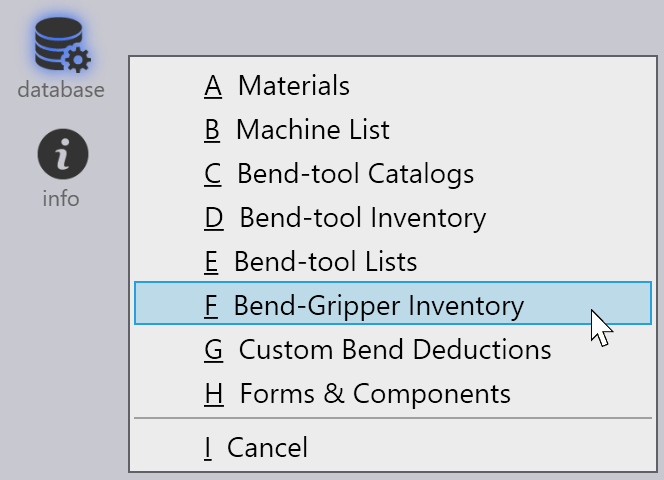
Click on the Database icon and choose the Bend-Gripper Inventory option to open the Gripper Inventory panel.
This panel displays all the grippers that have been installed. From this set of all the installed grippers, some of them can be enabled for use. Only these enabled grippers will show up in the gripper selection lists, and only these will be used by the software during computation.
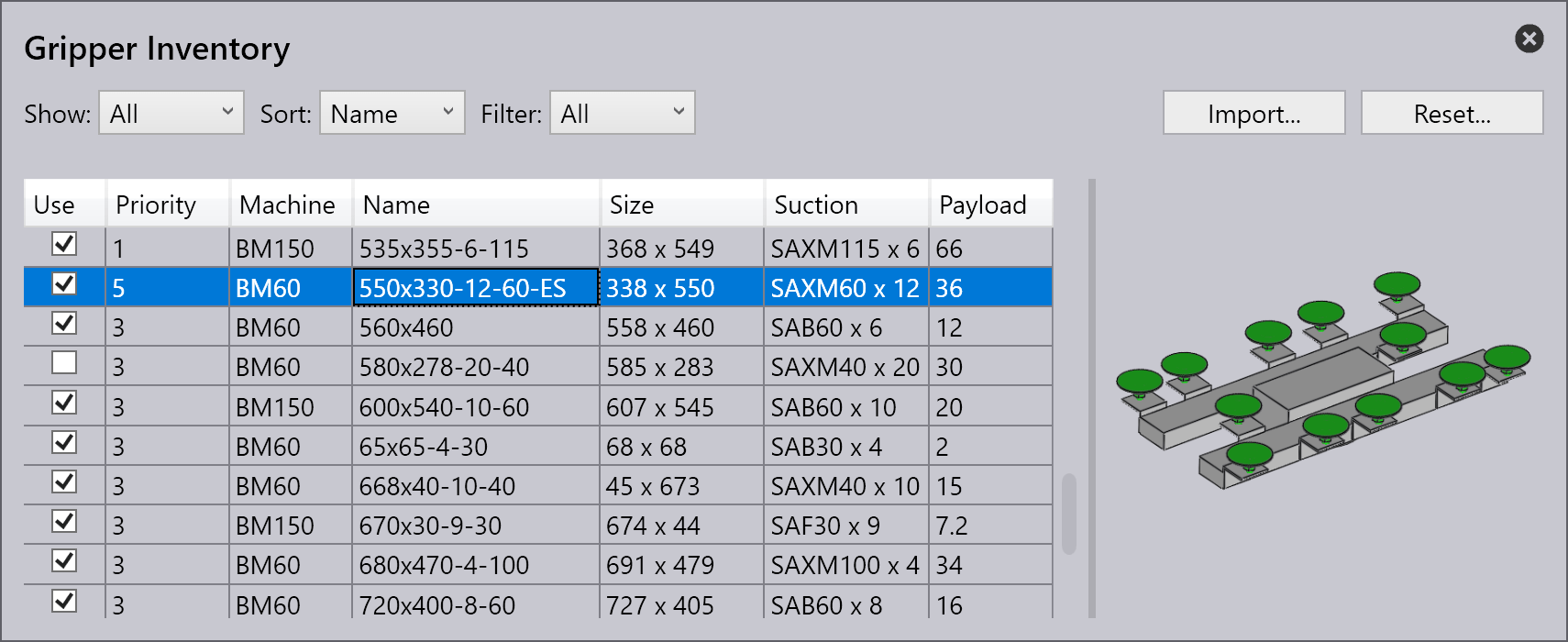
Use – Used to control whether the software will use this gripper during computations (and will display this as an option during gripper selection).
Priority – This setting controls the order in which the software will consider various grippers for use.
Show – Used to switch between displaying all the grippers, and only the grippers that are enabled.
Sort – Use this drop-down to arrange the grippers by name, size, etc.
Import – Import additional grippers from ARV files.
Reset – Used to select, or de-select all the grippers, and to delete any unused grippers. Take care when you do this – if you do not have the original drawing files, you cannot get back the original grippers.
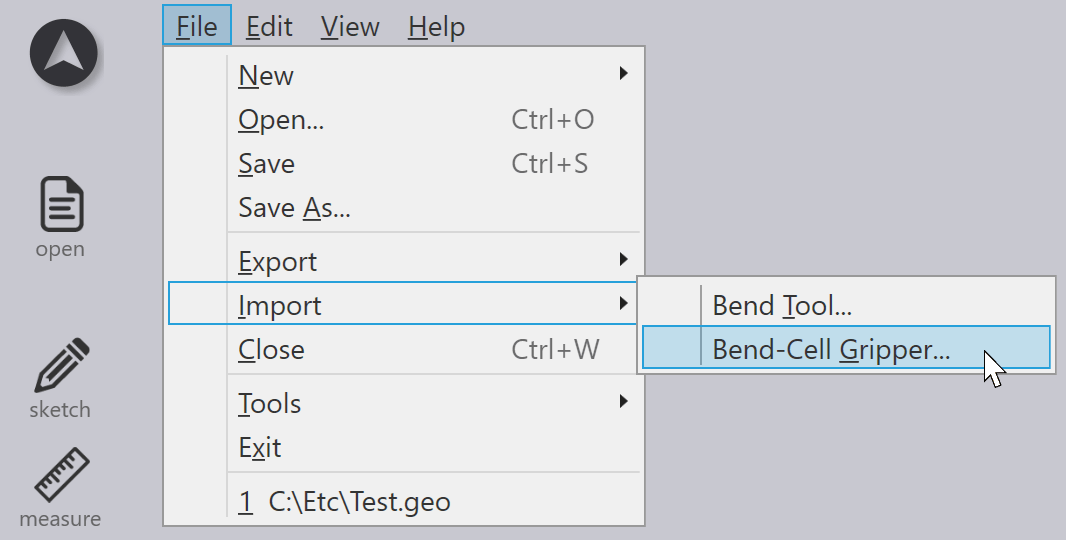
In addition, you can also import grippers using the option from the Import menu. To do this, go to File > Import > Bend-Cell Gripper…
Grippers can be exported to .fxbgrip files. Select the gripper in the gripper inventory window, and then choose Export to export it.
