
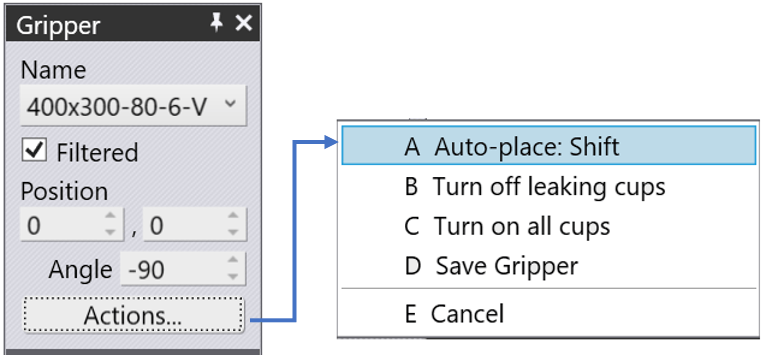
The Gripper panel is used to select a different gripper or to change the position and orientation at which the gripper picks up the part. (You can also access it using the Gripper link from the Pickup panel). After determining the exact position (camera), the BendMaster picks up the part with the selected gripper and moves it towards the bending machine. If required, this process can be adapted individually. To do this, select P in the bending step navigator.

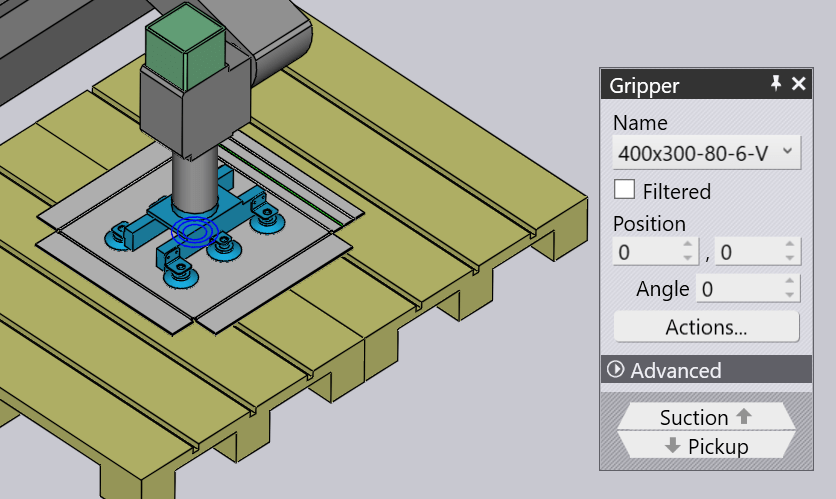
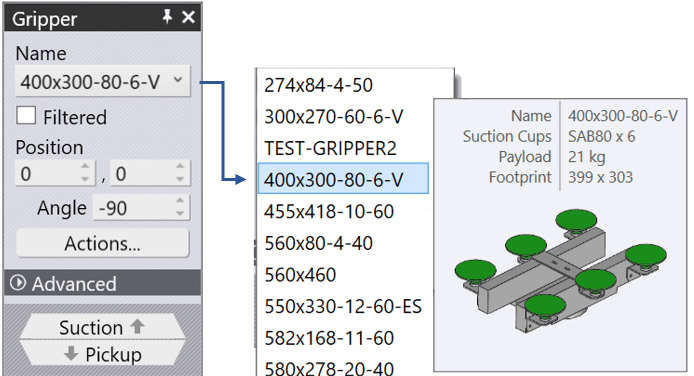
Name – Used to select a different gripper. Normally, only grippers suitable for this part are displayed (based on gripper size and payload), but you can turn off the Filtered check and then all the grippers are listed. Moving the mouse over a name in the grippers list displays a summary of that gripper, along with a thumbnail. The software automatically selects the Gripper from the list which can be used for the part provided. But you need to check if the selected Gripper best suits our requirement
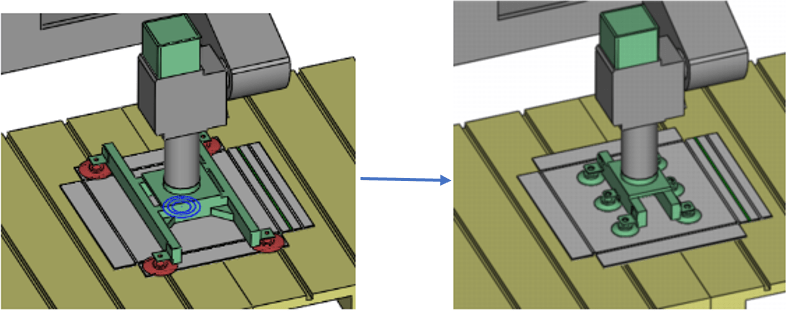
The image on the Left side is an example where the selected Gripper is not holding the part properly and going out of the part boundary which is indicated by the colour of the suction in red. Then the proper Gripper was selected and the colour of the suction cups also turned green.
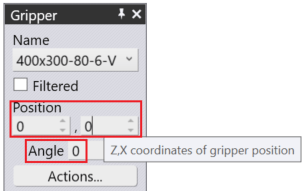
Position – Used to move the gripper-centre relative to the part-centre along the Z & X direction
Angle – Used to rotate the gripper, relative to the part’s orientation.
Actions –
A Auto-place: Shift – Keyboard shortcut key “A” helps to place the Gripper over the part
B Turn off leaking cups – Keyboard shortcut key “B” helps to turn off the suction cups which are not working properly/ considered as leaking cups
C Turn on all cups – Keyboard shortcut key “C” helps to Turn ON all cups
D Save Gripper – The keyboard shortcut key “D” helps to Save the Gripper with the last modified cup positions.
E Cancel – Keyboard shortcut key “E” helps to cancel the changes on this Gripper setup
Suction – Used to switch to a fine-editing of the gripper (selecting different suction cups, switching cups on/off).
