The Fold View
When you switch to the Fold CAM mode, the workspace displays the folding view. This shows a 3D image of the panel bender with the workpiece, and it looks like this:
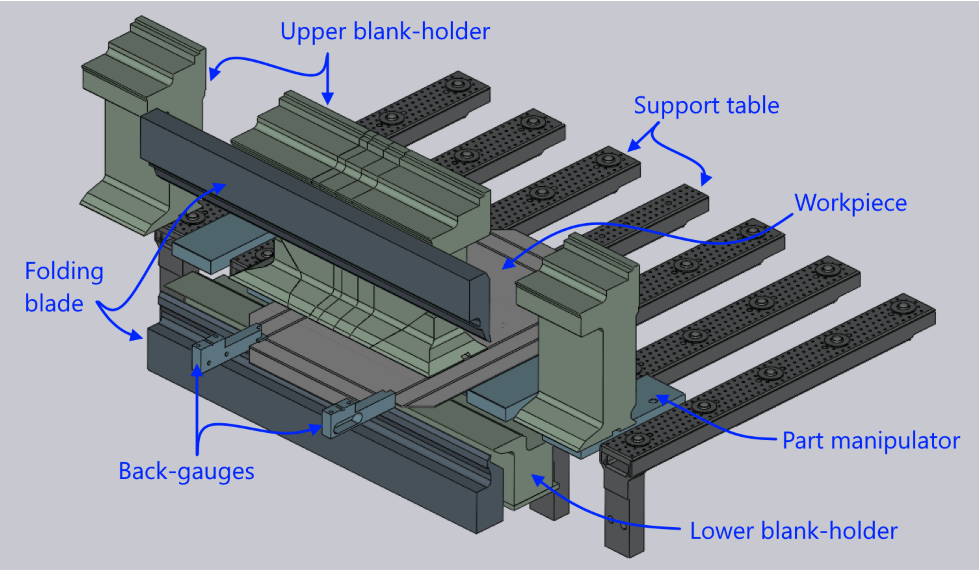
A panel bender is a large machine with a table that is typically longer than 3 meters. Displaying the entire machine would draw the workpiece and make it difficult to visualize the folding process. Thus, the folding view displays an abbreviated view of the machine. Various elements like the folding blades and lower blank holders are displayed only to the lengths required to cover the region of interest. Only the pieces of the upper blank holders that are actually used for processing are displayed. Only some spars of the support table and some of the part manipulators are displayed. This abbreviated view makes it easier to follow the actual processing.
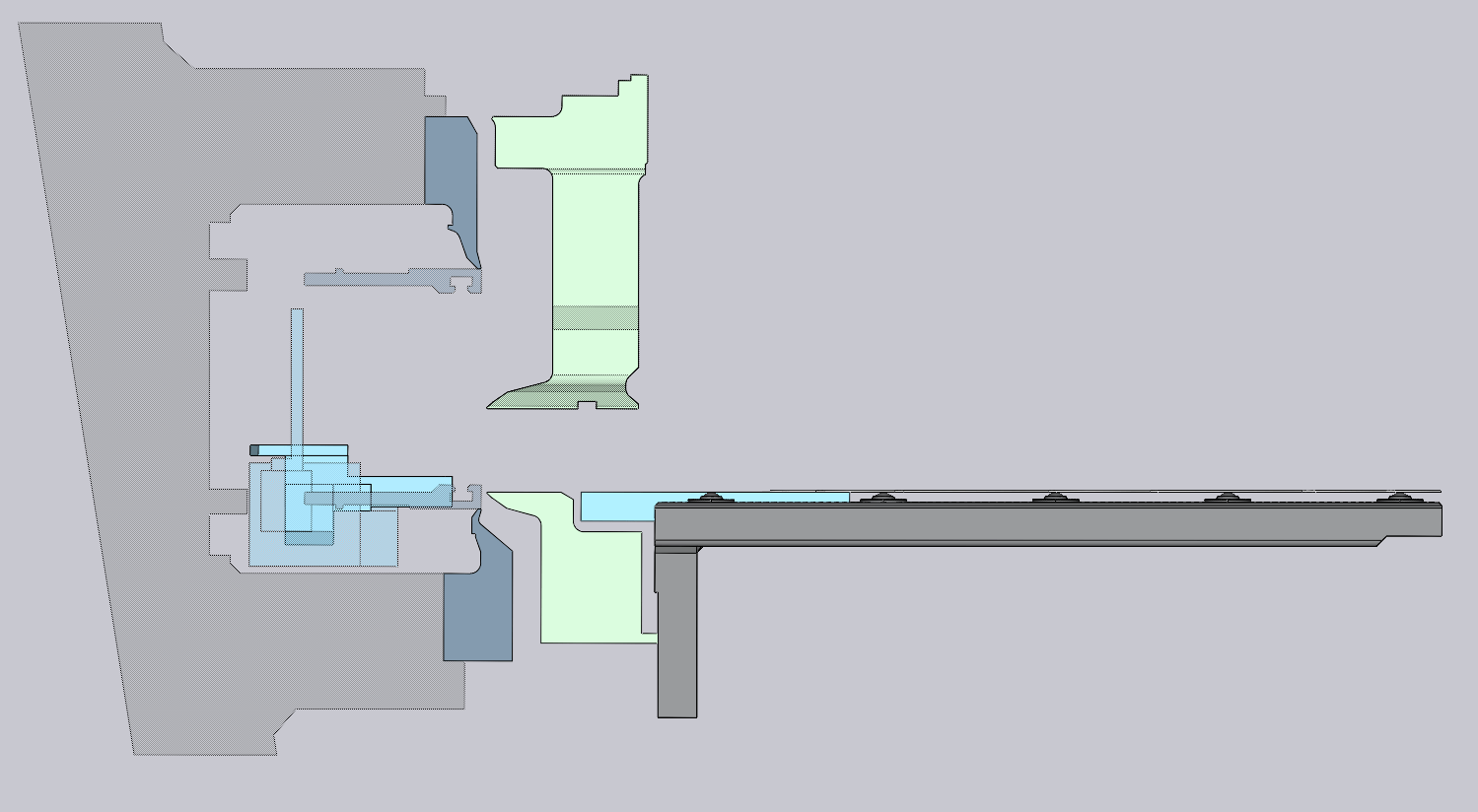
The C-Frame on which the blades are mounted is not usually displayed in the 3D view, since it would obstruct most of the view of the folding operations. However, when you rotate the 3D view to align it to an end-on orientation, the C-Frame is displayed as an outline (see image alongside). This makes it easy to see how the part geometry fits in relation to the C-Frame. When you rotate the 3D view into a different orientation, the C-frame is hidden.