
Tool Management
There is a wide variety of optional ENW blank holders and ZBW blades that you may use with your panel bender. In addition, some of the components of the panel-bender such as the upper or lower blank holder, and the folding blades may be swapped out with different ones. The Tool Inventory window in Fold is used to configure these attachments and tools for the panel bender.
To access the Tool Inventory window, open a part, and switch it to panel bending mode. An inventory button appears in the command bar, and clicking on this opens up the Tool Inventory window.
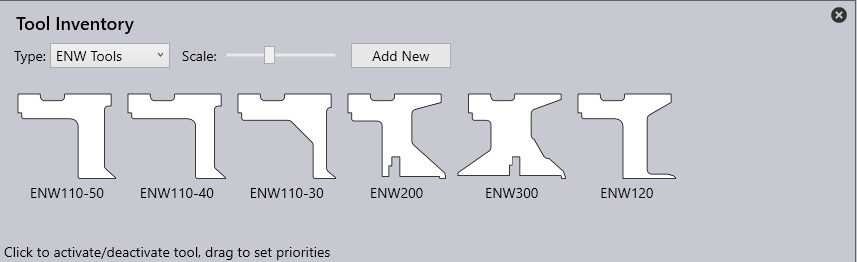
Editing ZBW blades or ENW tools
Use the Type selector to pick the ENW tools or ZBW blades that are available for Fold to use. When editing these tools, clicking on a tool toggles between being available or unavailable. In addition, you can rearrange these tools in a different order (by clicking and dragging a tool to a different location). Fold uses this ordering as the tool priority and tries to use these tools in the specified order. For example, in the image above, Fold will try to process a part using the ENW110-50 tool before it tries to use the ENW110-30 tool.
Editing machine-configuration
Some of these types (like the blank-holder, upper-blade, or lower-blade) do not allow multiple selections. In a sense, these types represent the current configuration of the machine, and only one blank holder may be mounted on the machine at one time. When the upper or lower blade is changed on the machine, for example, this section is used to inform Fold of the change, so it can tool up parts and do collision checks appropriately.
Depending on your Fold installation, it is likely that these sections (like blank-holder, upper-blade or lower-blade) may not be accessible for editing except by a Trumpf technician. The image below shows the typical settings available for editing (on the left), and the additional settings that may be available to Trumpf technicians (on the right).
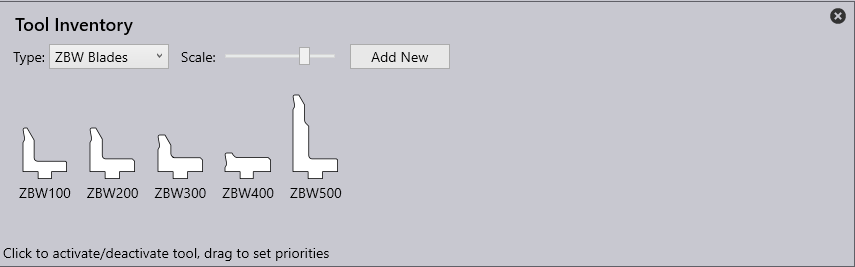
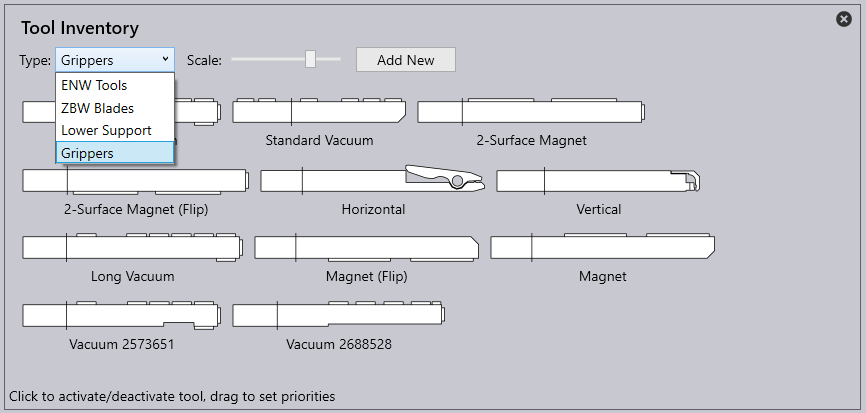
All these settings are for the currently selected panel bender (the one being used for the current part). If you have multiple panel benders, you can vary these settings individually for each one.
Importing new tool data
When you get new tools from Trumpf, these will be accompanied by tool-data files (data files), that are used to inform Fold about the geometry and capabilities of these new tools. You can import these new data files into Fold using the Add New button. This opens a file selector that lets you select one or more data files. These then get added to the tool catalogue, and can then be selected on the various pages of the Tool Inventory window.
